DRAWING MANAGEMENT
Every drawing, every version, always at your fingertips
Beamcore stores your DWG and IFC drawings with full version control, so a drawing you have sent never quietly shifts and you can see the current version at a glance. From first sketch to final revision, you stay in control of the entire drawing process.
VERSION CONTROL
Immutable versions, no more doubt about the right drawing
Drawings belong to a project and every drawing has immutable versions. A new upload automatically becomes a new version, while older versions are kept. That way a drawing you have sent never quietly shifts and you can always go back to an earlier state.
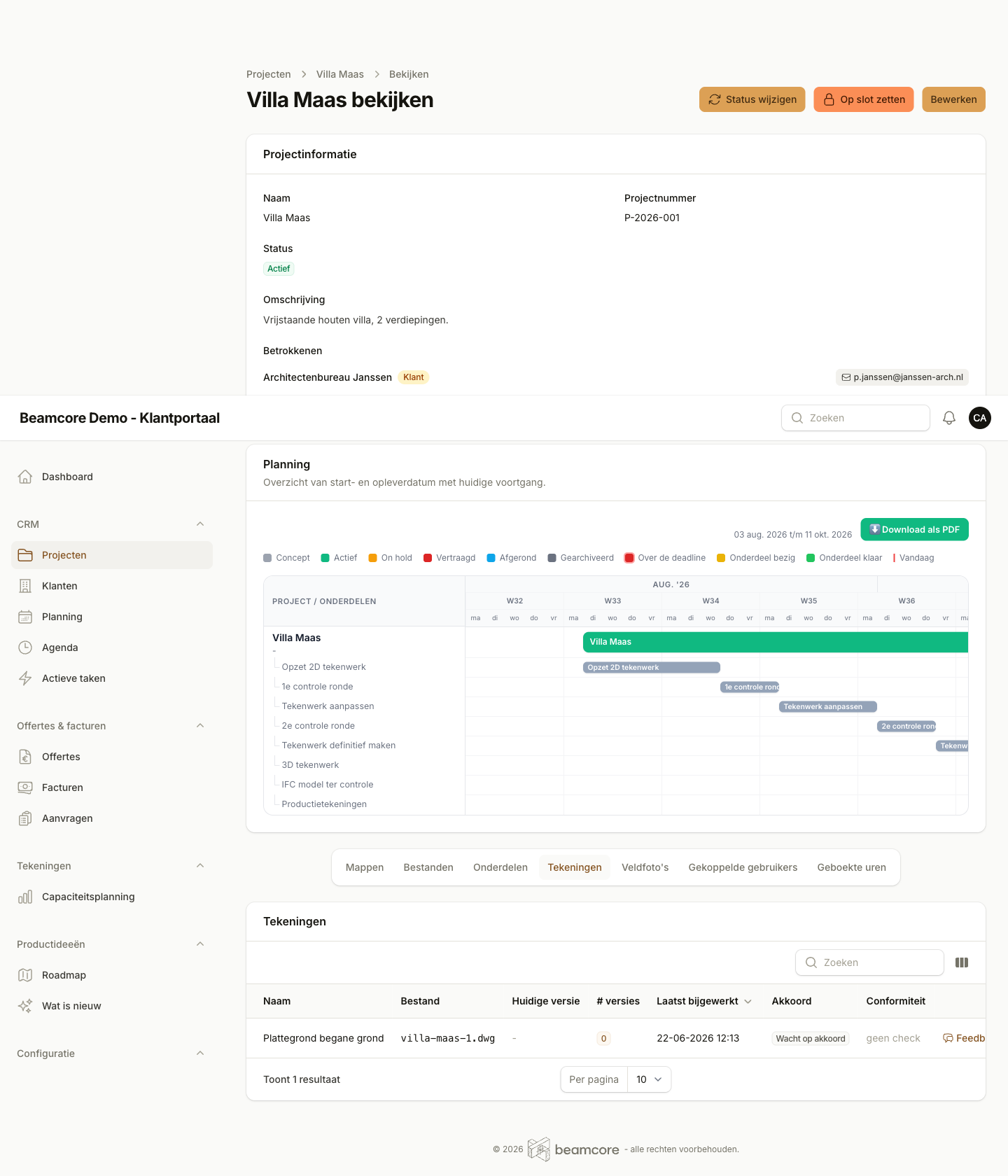
The per-project overview shows where you stand at a glance:
- File name and current version of every drawing
- Number of versions and the date of the last change
- Approval status so you know whether action is still needed
- Conformity indication for each drawing
FEEDBACK & ANNOTATIONS
Feedback where it belongs: on the drawing itself
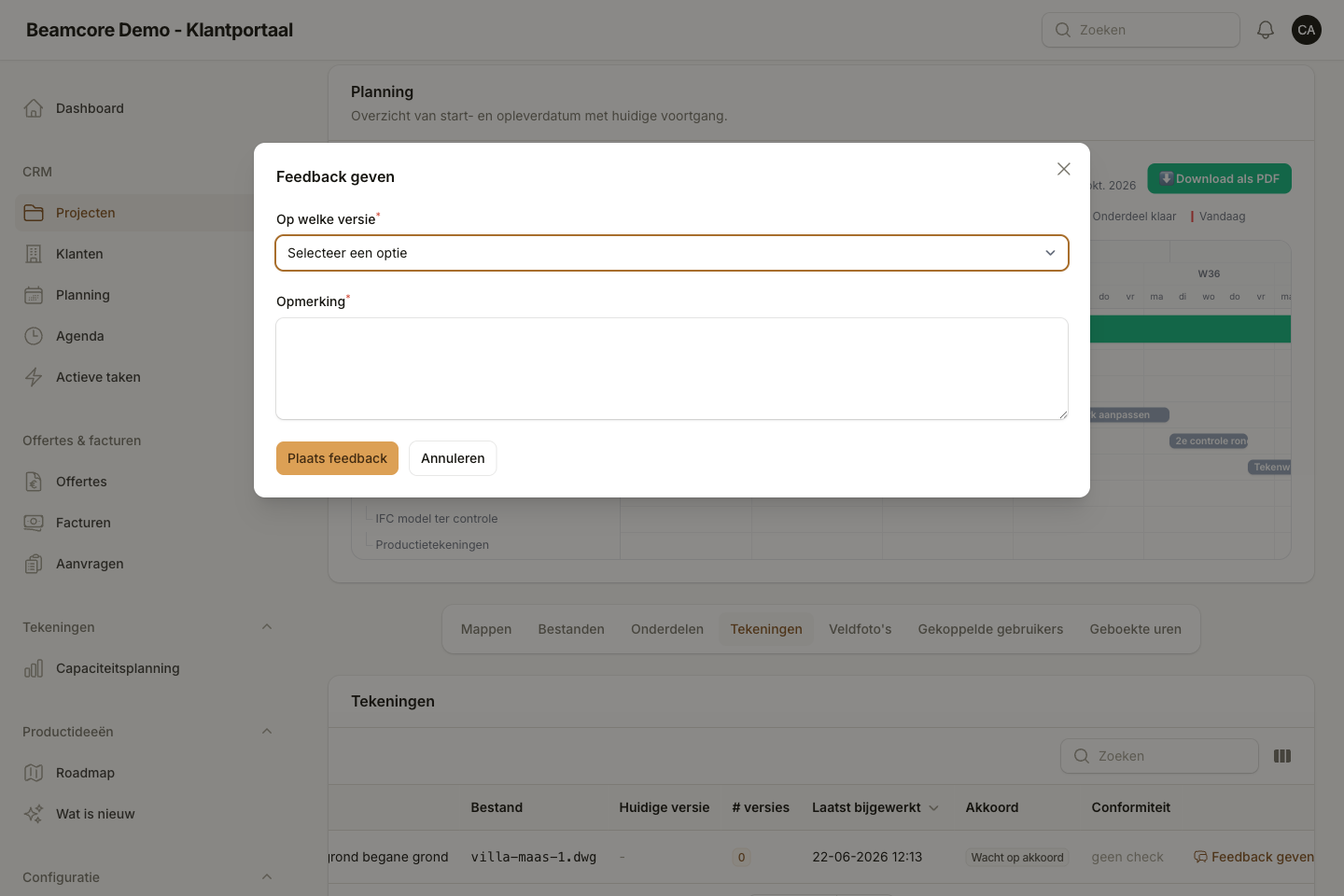
Clients and contractors leave comments per version and mark them visually with colour and arrows, so misunderstandings disappear and every revision stays traceable. The right comment always belongs to the right version.
- Feedback per drawing version: the client or contractor picks a version and places a comment
- Internal drafters see the feedback straight away and answer it in the same context
- Visual annotations in the viewer with free colour choice and arrows
- Resolve flow with an open or resolved status, including who handled the comment and when
- Notifications for new feedback, including push to the app
APPROVAL
A clear sign-off, in black and white
Before any building starts, the client explicitly approves or rejects the drawing, with a reason. No more loose emails, but a recorded decision tied to a specific version.
- A clear approval status per drawing: awaiting approval, approved or rejected
- The client approves or rejects directly from the portal
- A reason is mandatory when rejecting, so the drafter knows exactly what needs to happen
- Every decision is linked to the version it applies to
FILES & FOLDERS
All project documents in one organised place
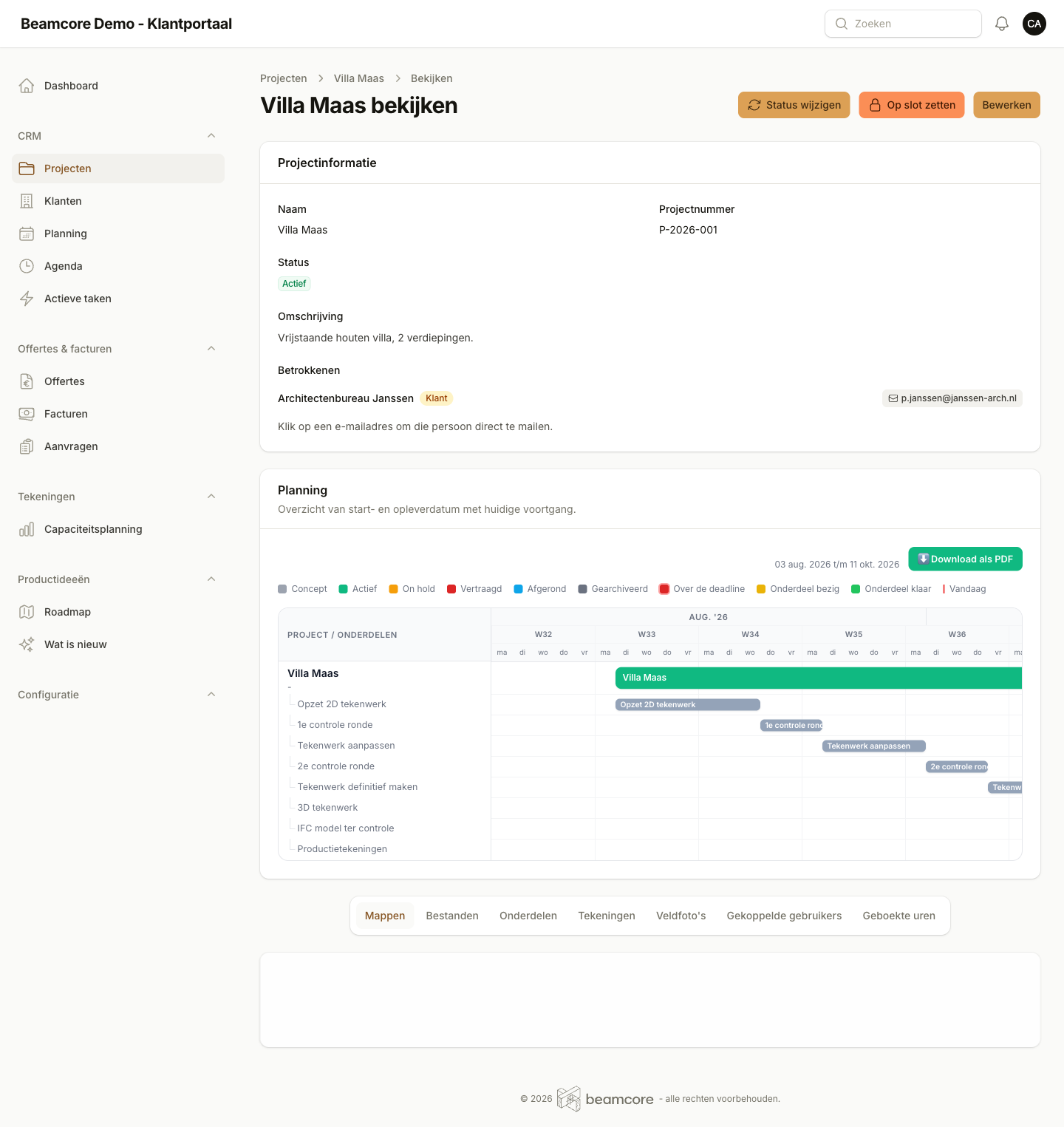
Reference PDFs, sketches, photos and source documents sit neatly in folders per project, with version control and clear uploads from both client and office. Everyone works from the same up-to-date source.
- Folders per project, by default Basic data and Other, with room for extra folders while uploading
- Files with immutable versions, just like drawings
- Both client and office can upload
- Automatic notification after every upload, so nothing goes unseen
- Downloading via secure, temporary links
Frequently asked questions about drawing management
See drawing management in action
Discover in a personal demo how Beamcore brings version control, feedback and approval together in a portal with your own branding.