FEATURES
What Beamcore does
A client portal where clients respond directly on the drawing, drawing management with versions and revisions, and planning that moves along when a deadline shifts.
DRAWING MANAGEMENT
Always the latest version, with a full revision history
Every drawing gets version control, a PDF preview and a clear revision history. Everyone works on the current version, older versions stay stored and traceable. No more loose files via email.

CLIENT PORTAL
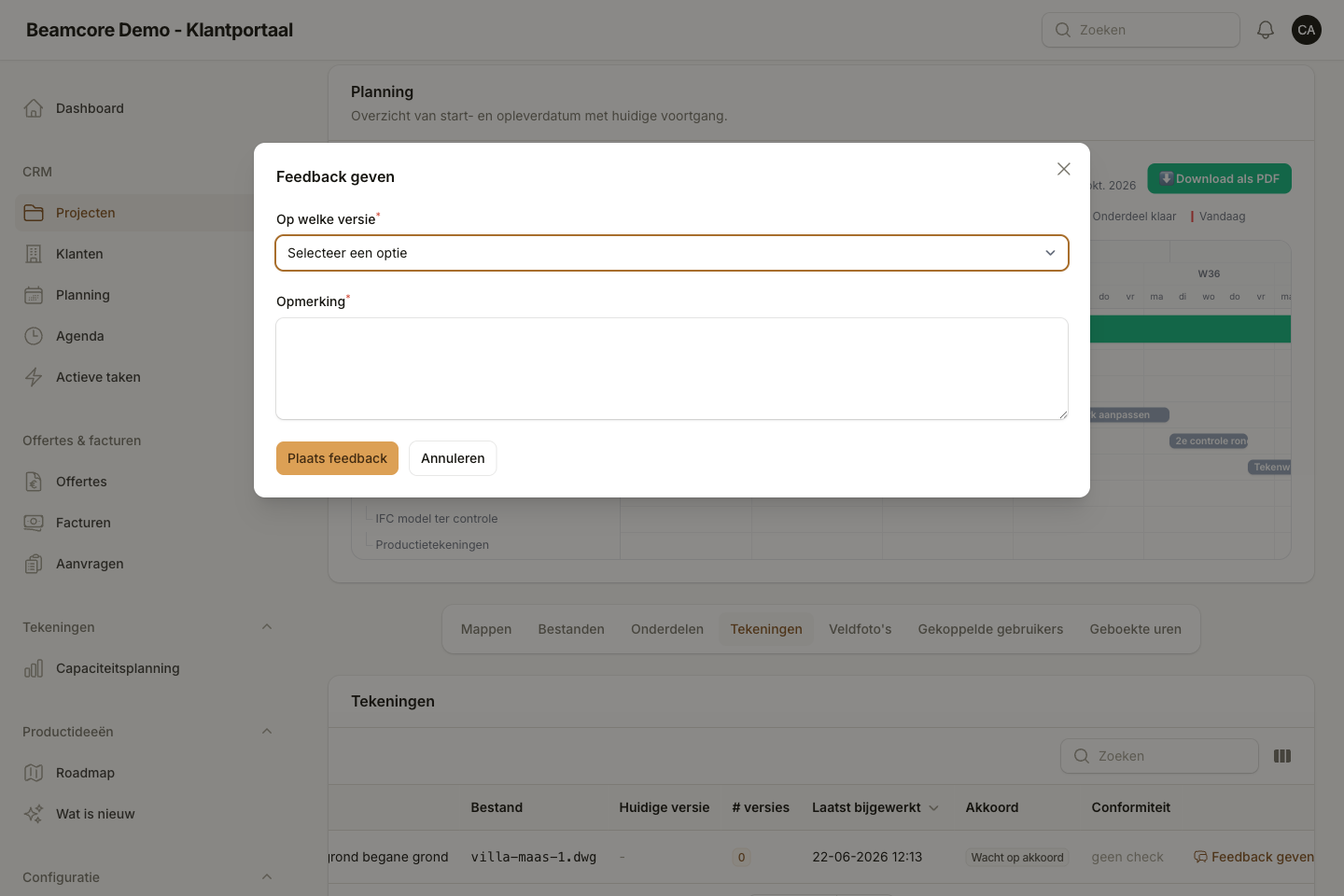
Clients annotate on the drawing, not in an email
In the portal, clients and contractors place numbered annotation pins on the PDF of every drawing version. Every pin has a reply thread, can be resolved, and is automatically carried over to the next version when needed.
PROJECT MANAGEMENT
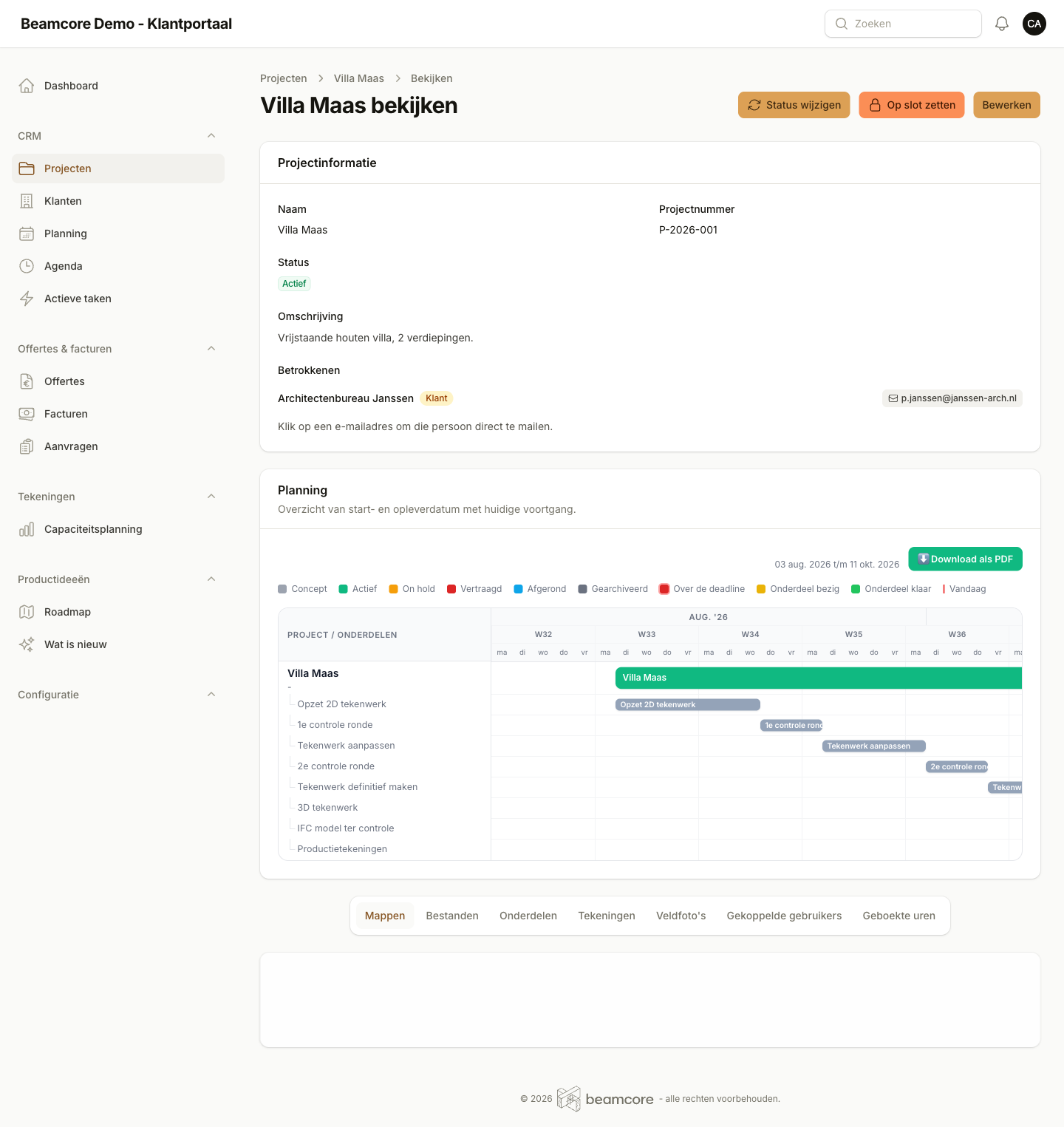
Planning that adjusts when a deadline shifts
Every project has working-day precise components, from "2D drawing setup" to "production drawings". Finishing a round before the deadline gives the next step extra room, so the end date stays intact. The Gantt view shows all running projects at week level.
With Beamcore vs without
| With Beamcore | Manual | |
|---|---|---|
| PDF preview without separate CAD software | ||
| Quotes and invoicing from the project (add-on) | ||
| Portal works on phone and tablet | ||
| Ordered version history per drawing | Filename gymnastics | |
| PDF annotations with reply thread | ||
| Carry annotations over to version 2 | ||
| Role-based folder access | ||
| Working-day Gantt across all projects | ||
| Delayed deadline spread over successors | ||
| Audit log exportable as CSV | ||
| Lock a project after approval | ||
| Webhooks for your own integrations |