PROJECT MANAGEMENT
Planning from quote to production, down to the working day
Every project has fixed components with a duration in working days. When a step runs over, Beamcore automatically spreads the extra days across the compressible successors. That way the end date holds, without you having to puzzle it out yourself.
GANTT PLANNING
All projects in a Gantt down to the working day
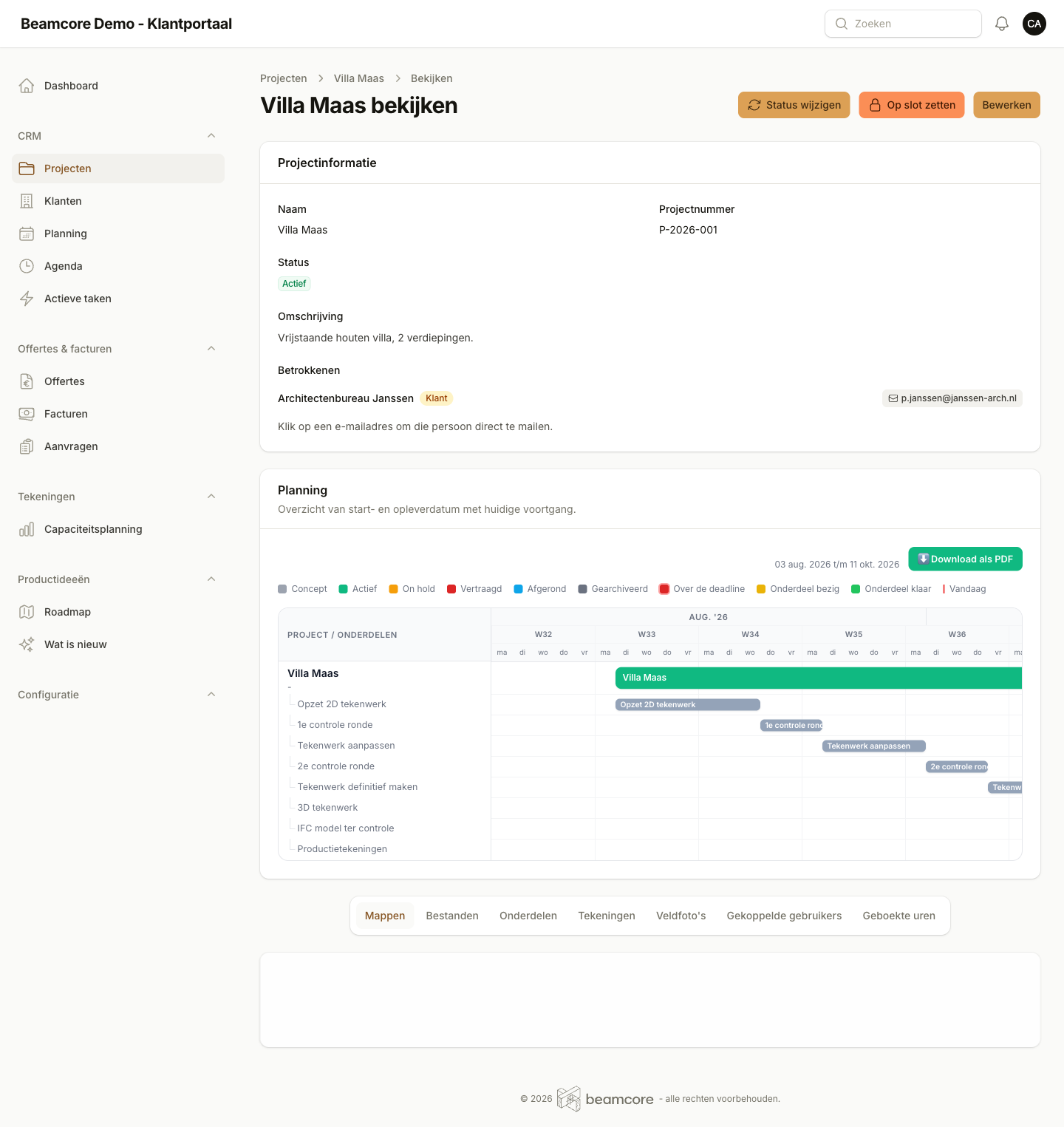
The Gantt view shows all running projects with their components as bars on a working-days timeline. Weekends do not count. You can see straight away which projects are delayed and which components are active today. The viewing window is adjustable to 3 months, 6 months, the whole year or the full project duration.
- Weekends are left out of the timeline
- Bars per project component, coloured by status
- Delayed bars instantly visible in red
- Today marker and view range adjustable
PROJECT COMPONENTS
Fixed components with standard templates
Every new project automatically gets the standard components: "2D drawing setup", "1st review round", "Adjust drawings", all the way to "Production drawings". Duration and order are adjustable per company. Components assigned to the customer (review rounds) are never shortened automatically.
- 8 standard components per new project
- Duration in working days adjustable per component
- Assigned to internal or to the customer
- Compressible flag and minimum duration per component
ABSORBING DELAYS
A step ran over? The rest compensates automatically
When a component takes more time than planned, those involved request an extension via a signed link. Beamcore spreads the extra working days, greedily, starting from the first compressible successor, so the end date stays intact as much as possible. Whatever cannot be absorbed becomes visible as a remaining day for an explicit decision.
- Extension request via signed link, no login needed
- Preview of the impact before confirmation
- Customer components and flagged components are not shortened
- Notification to everyone involved after it is applied

LOCKING A PROJECT
Project locked after approval
As soon as a customer gives approval, you lock the project. Name and description can no longer be changed after that. Files and drawings are still available, but the project details are fixed. Unlocking is possible by an admin and is logged.
- Record the lock with a reason
- Locking and unlocking are both logged in the audit log
- Unlocking can only be done by a user with admin rights
- Downloading files also works on locked projects

AUDIT LOG
Who did what, exportable as CSV
Every status change, version upload, annotation action and project mutation is logged with timestamp and user. The full audit log is filterable by time period, log type and user, and exportable as CSV for your own archive or auditor.
- Automatic logging at model level via Spatie activity log
- Filterable by date, type and causer
- CSV export with date, type, description and changes
- Not editable, read-only for all roles