MESSAGES
Conversations with the project, showing whose turn it is
Every conversation belongs to a project and has a status, an action holder and a deadline. So you see at a glance what is still open, what is waiting for the client and what is late. With internal notes, document approval and templates. In every plan.
WHOSE TURN IS IT
Your messages as a task list
A conversation is a normal message, an action request or an approval request. Give it an action holder and a deadline of 2, 5 or 10 working days, and Beamcore keeps track of whose turn it is. When the action holder replies, the ball is back with you. Once the deadline has passed, a reminder follows every working day, at most three times.
- Statuses new, action required, waiting for reply, in progress and resolved
- Views for my actions, waiting for me, waiting for client, unread and overdue
- Per message you see who has read it and who has not
- As a list, cards or timeline, and all attachments of a conversation in one ZIP
DOCUMENT APPROVAL
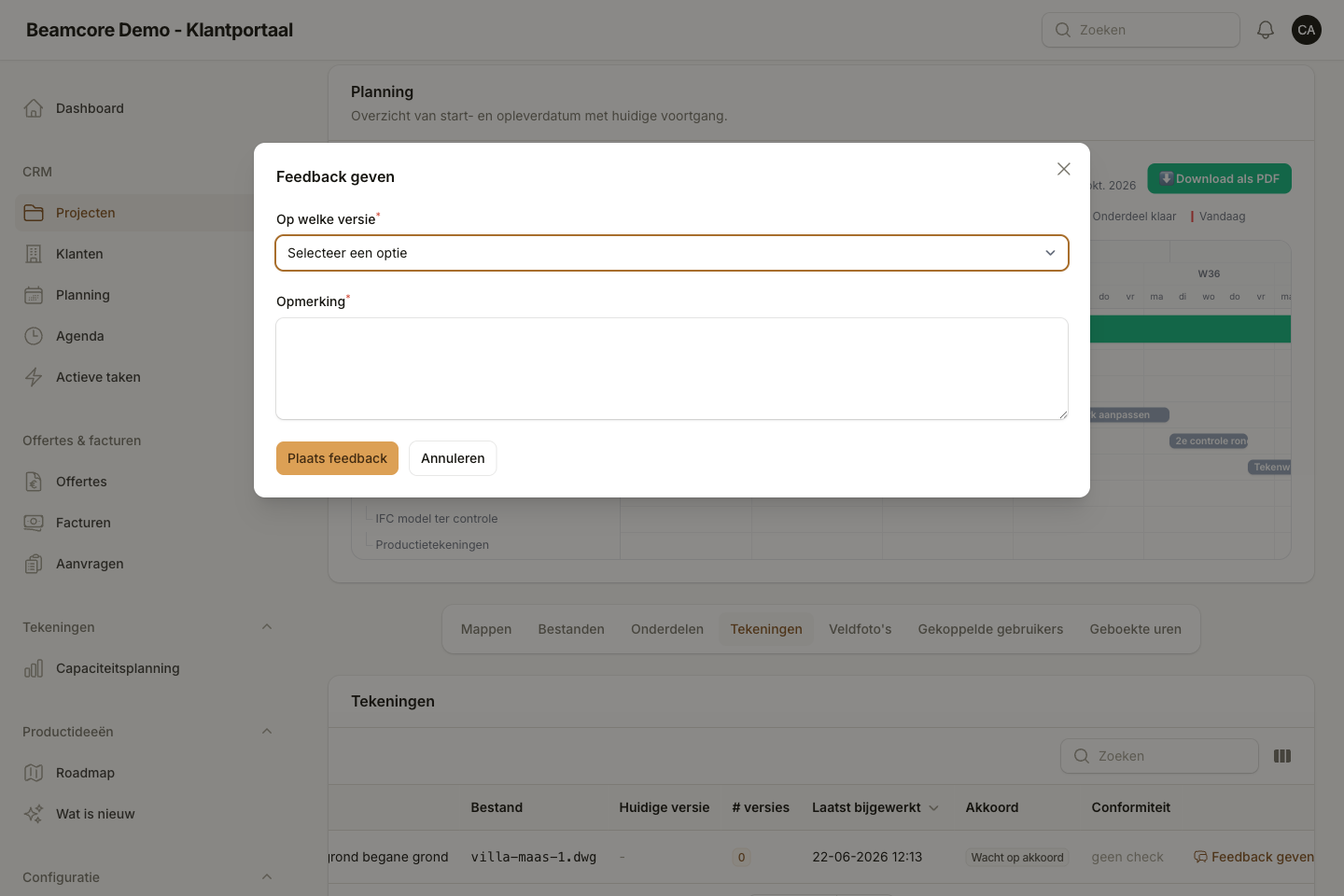
Approval on exactly that version
Send a drawing or document for approval and choose who has to decide. Each approver chooses approve, revise or reject, and Beamcore records who did it, when and from which device. The approval belongs to that one version: a new version is never approved automatically, and a reply or reading a message is never an approval.
- Required and optional approvers
- The approval status also shows with the project files
- If you want, Beamcore completes the planning step as soon as everyone has approved
Also included
Internal notes
Notes only your own team sees. Client and contractor never see them and never get them by email.
Client and contractor separately
Choose per conversation whether only the client reads along or the contractor as well.
Templates and signature
Eight standard templates or your own, with fields such as project name, client and contact. Your company signature appears automatically under your messages, quotes and invoices, and you can adjust it per message.
Attachments
Files added to a reply become regular project files in the folder you choose, and open in the viewer on exactly that version.
Notifications
An email and an app notification for a new message, an action for you or a decision.
In the app
Reading messages, replying with attachments and approving documents also works in the Beamcore app.
Frequently asked questions
Never search your mailbox again?
Book a demo and see how a question to the client becomes an action with a deadline.