
TIMBER STOCK & MATERIAL PLANNING

Know what you need, what is in stock and what to order

Import the cutting list from your drawing software, reserve the timber for your project and see straight away what still needs ordering. For joinery workshops and prefab builders who want control over their beams and sheet material. Available as a 99 euro per month add-on on top of your subscription.

IMPORT THE TIMBER LIST

From PDF cutting list to material requirement per project

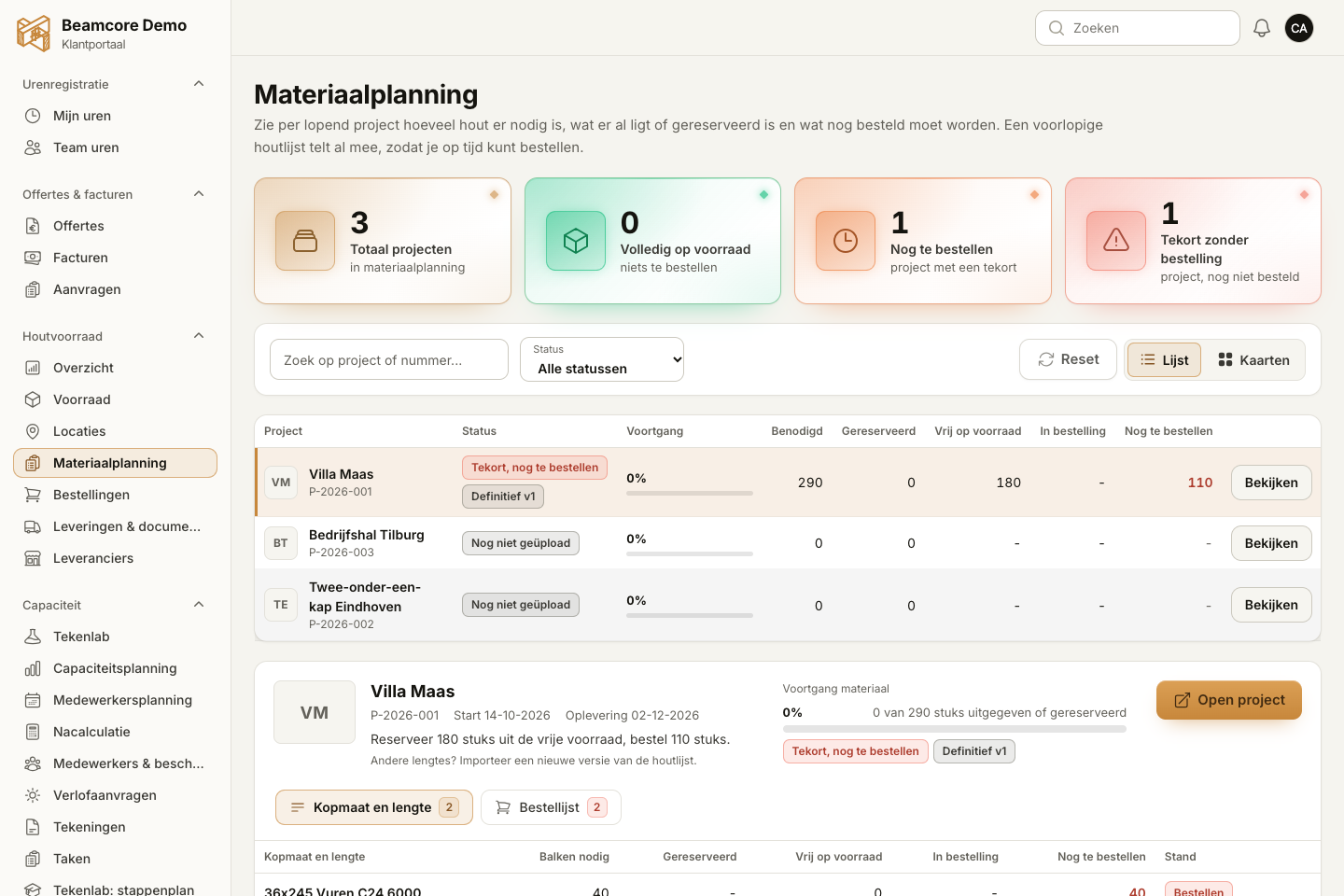
Upload the PDF cutting list of your project. Beamcore reads the cutting lines, checks the quantities and works out how many bars of which stock length you need. You always check the result first; only when you finalise the list does it become the requirement of the project.
  • Cutting lines from the PDF with a checksum on quantities and lengths
  • Cutting plan across several stock lengths: least waste, fewest bars or prefer stock
  • A section you do not stock is cut from the nearest heavier one
  • Every version of the timber list is kept

RESERVE & ORDER

Free stock, reservations and shortages in one overview

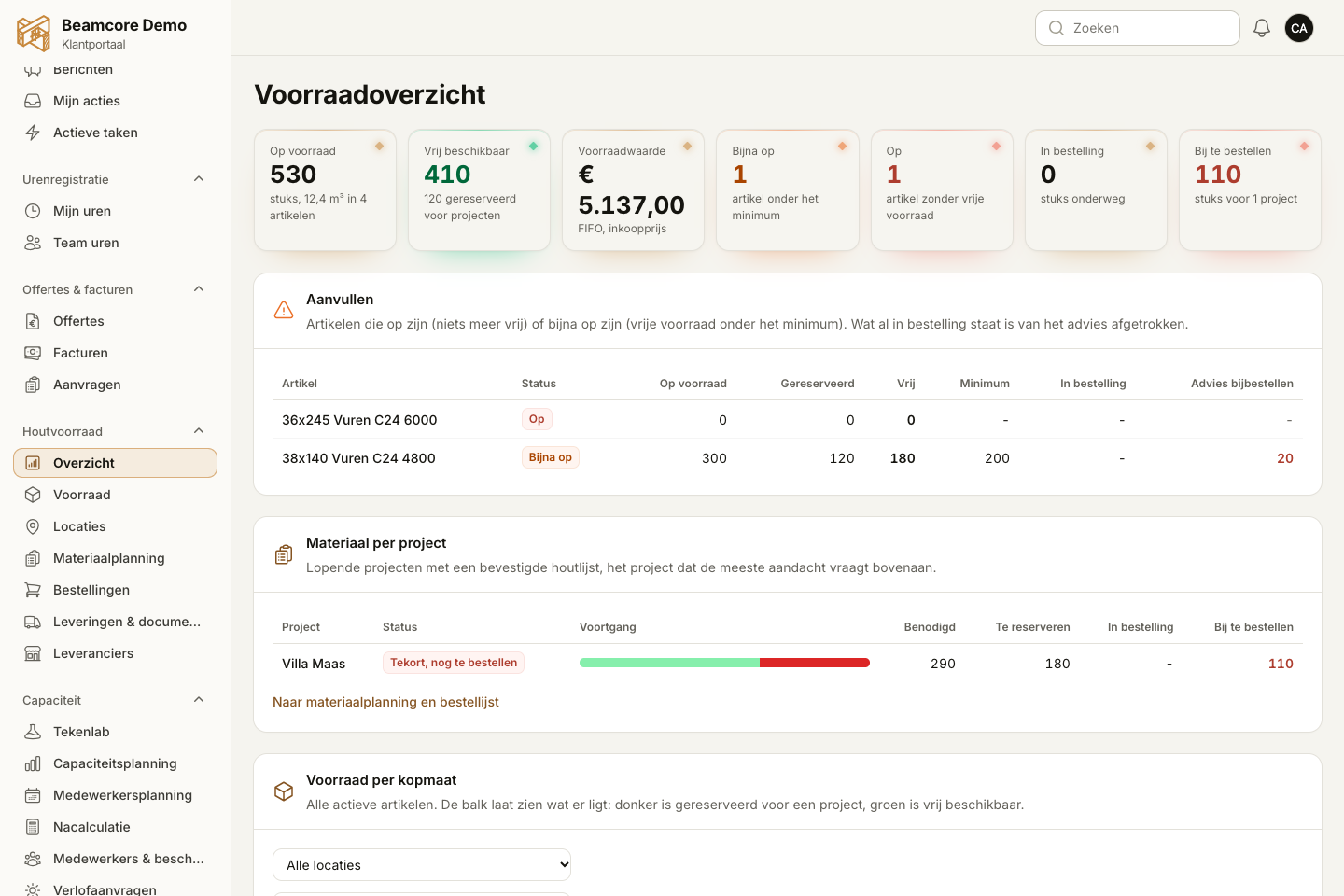
Beamcore keeps physical stock, reservations per project and free stock strictly apart. Finalising reserves what is in stock straight away; whatever is missing is ready on the order list, grouped by cheapest supplier if you like.
  • Per project: issued, reserved, on order and still to order
  • Automatic purchase proposal on working days for projects starting soon
  • Suppliers with price lists per item, also imported from Excel or PDF
  • Read delivery notes and order confirmations and process them in one click

WAREHOUSE

Locations, offcuts and stock value

Divide your hall into locations, move stock and count per location. When issuing to production you get a pick list. Usable offcuts are reported back and automatically included in the cutting plan of the next project.

  • Hall, rack and bin, with a pick list per issue
  • Offcuts as separate stock, off by default and switched on per company
  • Stock value by FIFO using the recorded purchase price
  • Overview of items that drop below their minimum stock

WHY IT WORKS

Control over your timber without a spreadsheet

01

Less cutting waste

The cutting plan picks the stock lengths with the least waste and takes offcuts into account.

02

Always check first

Nothing from a PDF or delivery note touches your stock until you confirm it.

03

Order in time

Shortages of projects starting soon end up on the order list automatically.

04

Material costs per project

Issued, reserved and ordered next to the material budget of the project.

Frequently asked questions

No, this is a 99 euro per month add-on on top of your existing subscription. You switch it on yourself via your subscription and can cancel it again. With Enterprise the add-on may already be included, depending on your agreement.
A PDF cutting list from your drawing software. Recognition is built on the HSB-CAD layout. You always check the lines before the list becomes final.
Yes. Sheets such as OSB or plywood are ordinary stock items with type, thickness, width and length. They have their own table below the beams.
No. Beamcore prepares a draft order with the shortages and prices; you check it and place the order yourself. You can send the order to your supplier as a PDF.

Curious how this works in your workshop?

Book a demo and see how a cutting list becomes a reservation and an order list in a few minutes.